In this guide
- How we compared them
- The comparison at a glance
- LoungeOS: offline-first, built for outages
- SambaPOS: local and highly customisable
- Toast: strong offline design, inside its ecosystem
- Square for Restaurants: offline card payments, with time limits
- Loyverse: free, simple, limited offline
- The ‘unplug test’: how to check any POS yourself
- How to choose
- Frequently asked questions
If your internet drops a few times a month, the “offline mode” in the brochure matters more than any feature on the pricing page. We compared five restaurant POS systems on one question: what can your team still do when the internet is down?
The short answer: it depends on where the system keeps its brain. Cloud POS systems run on the vendor’s servers and keep devices going for a while when the connection drops. Offline-first systems run on a computer inside your restaurant and don’t need the internet at all during service.
How we compared them
We looked at each vendor’s own documentation, not marketing pages, and asked five questions:
- Can staff keep taking orders and sending them to the kitchen?
- Can the cashier close bills and take payments, including cards?
- Are there time limits before the system needs to reconnect?
- Do refunds, stock levels and reports keep working?
- What happens if the local network (Wi-Fi router) fails, not just the internet?
Vendor documentation changes. The behaviour below reflects their help centres as of October 2026, so check the current versions before you decide.
The comparison at a glance
| Architecture | Orders & kitchen offline | Payments offline | Notable limits offline | Best for | |
|---|---|---|---|---|---|
| LoungeOS | Offline-first (Windows host in venue) | Yes, full | Yes (records cash, card, mobile money) | Needs host + router powered; no integrated card processing | Venues with unreliable internet, cash and mobile money |
| SambaPOS | Local Windows server + database | Yes | Yes | Tablets typically Windows or remote desktop; setup is technical | Venues with IT support who want deep customisation |
| Toast | Cloud + local hub | Yes, if a hub is set up on the local network | Cards with background processing | Can’t close checks, reconcile tips or clock out offline; reports delayed | Full-service restaurants in markets with Toast support |
| Square for Restaurants | Cloud | Yes, on each device | Cards, with limits | Session ends after 24 h; payments must upload within 72 h; some payment types excluded | Card-heavy venues with mostly reliable internet |
| Loyverse | Cloud | Sales continue on the device | Cash; integrated card terminals don’t work offline | Refunds disabled; stock levels not shown; back office waits for sync | Small cafés and shops starting free |
LoungeOS: offline-first, built for outages
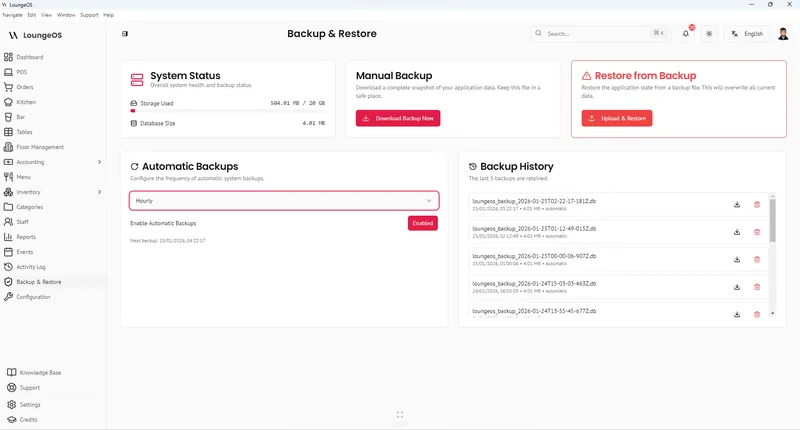
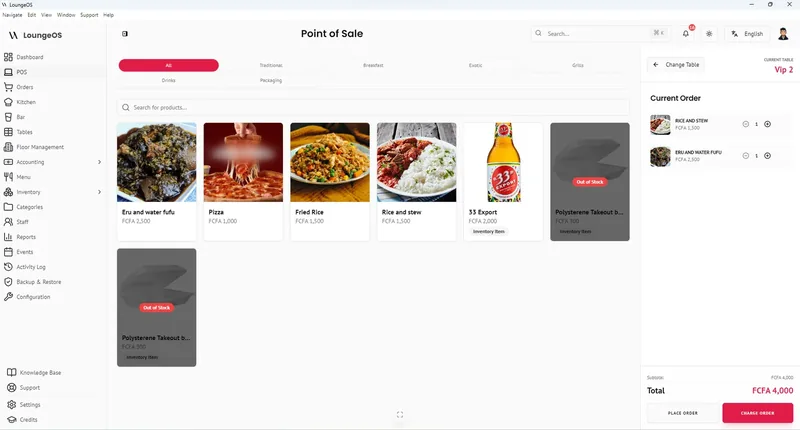
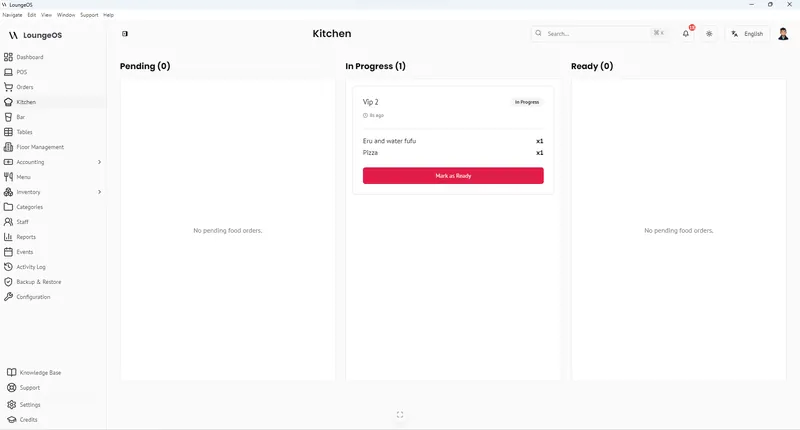
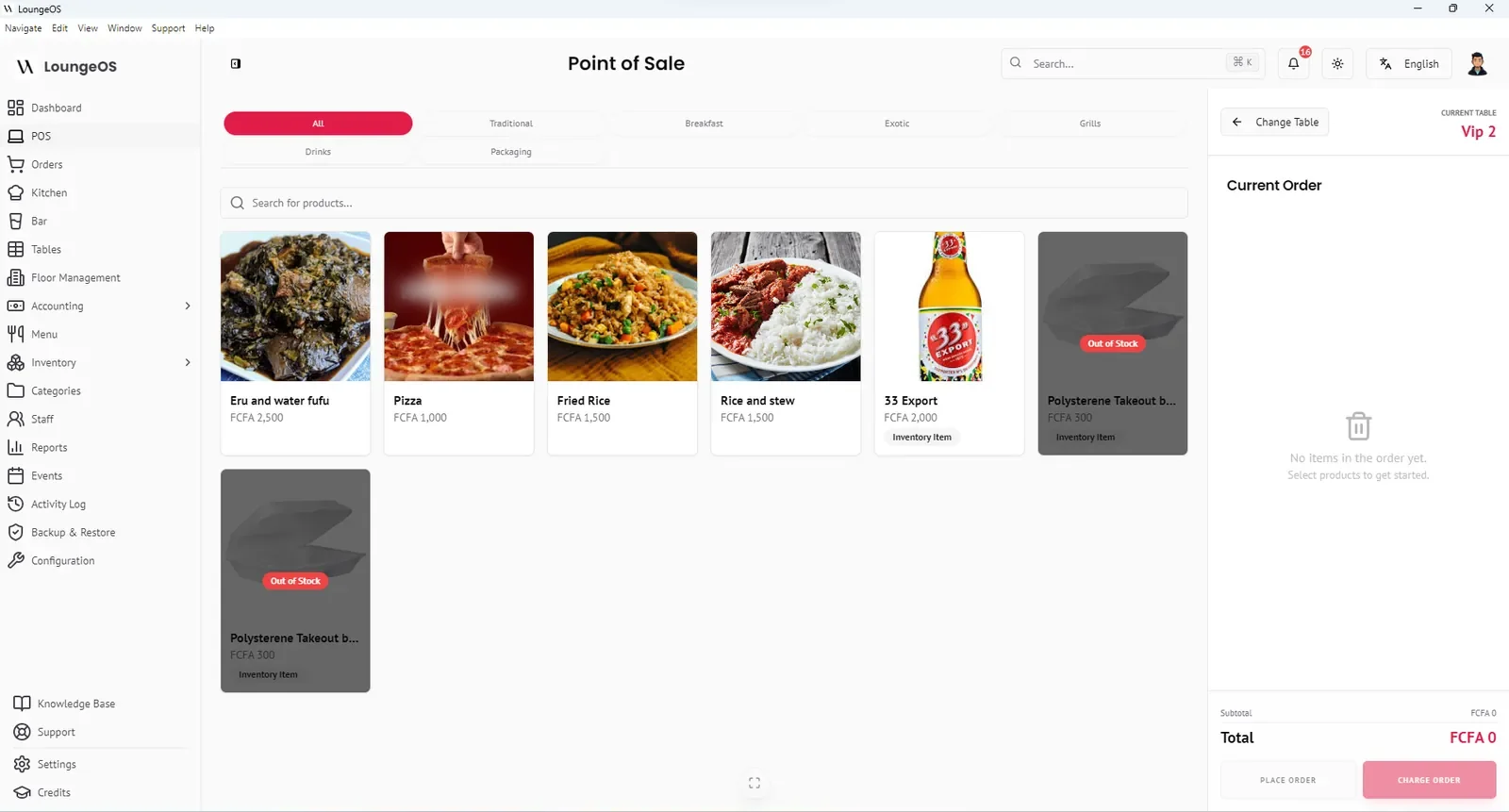
LoungeOS installs on a Windows computer in the venue, which acts as the server. Waiters’ phones, tablets and kitchen screens connect to it through the venue’s Wi-Fi router, so the internet is never in the path of an order. During an outage the team keeps taking orders, routing food to the kitchen display and drinks to the bar display, closing bills, recording cash, card and mobile money payments, adjusting stock and running reports. You only need internet to activate or renew the licence.
Trade-offs: you must keep the host computer and router powered (a small UPS or a laptop host solves this) and take backups. LoungeOS records card and mobile money payments made on your terminal or wallet. It doesn’t process cards itself, so a card terminal that needs a network still needs one.
Best for: restaurants, bars and lounges in places where outages are routine, and where cash and mobile money control matter. See how LoungeOS works offline →
SambaPOS: local and highly customisable
SambaPOS is a long-standing Windows POS that keeps its database on a local server. Because the server is on premises, it keeps running when the internet is down. Its community forum describes a setup where the database sits on a server machine and terminals connect over the network, with waiters’ tablets usually running Windows or connecting by remote desktop (SambaPOS forum).
Trade-offs: its flexibility comes with complexity, and many venues rely on a reseller to configure it. Browser-based ordering on any phone is not its default model.
Best for: operators with technical support who want to script detailed workflows.
Toast: strong offline design, inside its ecosystem
Toast’s documentation describes an offline mode with local sync. One hard-wired Toast device acts as a local hub, so devices on the same network keep exchanging orders and the KDS keeps receiving tickets during an internet or cloud outage (Toast platform guide). Card payments can continue with background card processing enabled.
Limits Toast documents: during offline mode staff cannot close checks, declare cash tips, reconcile cash and tips, or clock out. Reports don’t include offline data until devices sync. If the local network itself fails, devices can’t communicate and kitchen printers stop receiving orders (Toast support).
Best for: full-service restaurants in markets where Toast operates and internet is mostly reliable.
Square for Restaurants: offline card payments, with time limits
Square lets devices accept card payments offline and switches automatically when the connection drops. Its help centre sets clear limits. After 24 hours offline the session ends until you reconnect. Offline payments must be uploaded within 72 hours or they expire and cannot be recovered. Some payment types, such as gift cards, manually keyed cards and tap-to-pay on phones, aren’t available offline. If an offline payment is later declined, the seller bears the loss (Square Support).
Best for: card-first venues with generally reliable internet that need a safety net for short outages.
Loyverse: free, simple, limited offline
Loyverse is a popular free POS for small businesses. Its help centre says the app keeps making sales offline and stores receipts on the device until it reconnects. While offline, refunds are disabled, new customers can’t be added, stock levels aren’t shown, and integrated card terminals don’t work. Sales don’t appear in the back office until the device syncs (Loyverse Help).
Best for: small counter-service cafés and shops that want to start free and have reasonably stable internet. If you’re outgrowing it, see our Loyverse alternatives guide.
The ‘unplug test’: how to check any POS yourself
Marketing pages all say “works offline”. Here’s how to find out what that means in your venue. During your free trial:
- Set up a realistic mock service: three waiters, a kitchen screen, a bar screen, a cashier.
- Unplug the internet cable from your router, but leave the router on.
- Ask staff to do everything they’d do on a Friday night: open tables, send orders, modify an order, cancel an item, split a bill, take cash, take a card, take mobile money, refund, check stock.
- Keep it offline for at least two hours. Some limits only appear after a while.
- Reconnect and check: did every order, payment and stock movement arrive correctly? Do the reports match the cash drawer?
- Then switch off the router too and see what still works. That’s your real worst case.
Write down every task that failed. If any of them is something your team does every night, that system isn’t truly offline for you.
How to choose
- Outages are routine (weekly or more)? Choose an offline-first system. A local server and a UPS will serve you better than any offline mode.
- Internet is reliable, cards dominate, and you want online ordering? A cloud POS with a good offline mode is reasonable. Know its limits and train staff for them.
- Cash and mobile money dominate? Prioritise payment recording, reconciliation and staff controls over integrated card processing.
Run your next service on LoungeOS
Install LoungeOS on a Windows computer, connect your tablets and phones over Wi-Fi, and run real service for 30 days. Free, no credit card.
Frequently asked questions
What is the best POS system that works without internet?
For venues where outages are frequent, an offline-first POS that runs on a local computer, such as LoungeOS or SambaPOS, keeps full functionality without internet. Cloud POS systems like Toast, Square and Loyverse offer offline modes with documented limits on payments, refunds, check closing or reporting.
Does Square work offline?
Yes, with limits. According to Square’s help centre, offline sessions end after 24 hours until you reconnect, offline payments must be uploaded within 72 hours, some payment types aren’t available, and declined offline payments are the seller’s responsibility.
Does Toast work without internet?
Toast has an offline mode, and with a local hub devices keep exchanging orders. Toast documents that staff can’t close checks, reconcile tips or clock out while offline, and reports are delayed until devices sync.
Can an offline POS still take card payments?
An offline POS can record card payments taken on a standalone card terminal. The terminal itself needs a connection, often a built-in SIM, to authorise cards, so check how your bank’s terminal behaves during outages.