Restaurant POS
The restaurant POS system that keeps the dining room and kitchen in sync, with or without internet
Take orders at the table on any phone, send them to the kitchen screen instantly, close bills in cash, card or mobile money, and see your food cost and profit without a spreadsheet.
30-day free trial · No credit card · Works without internet
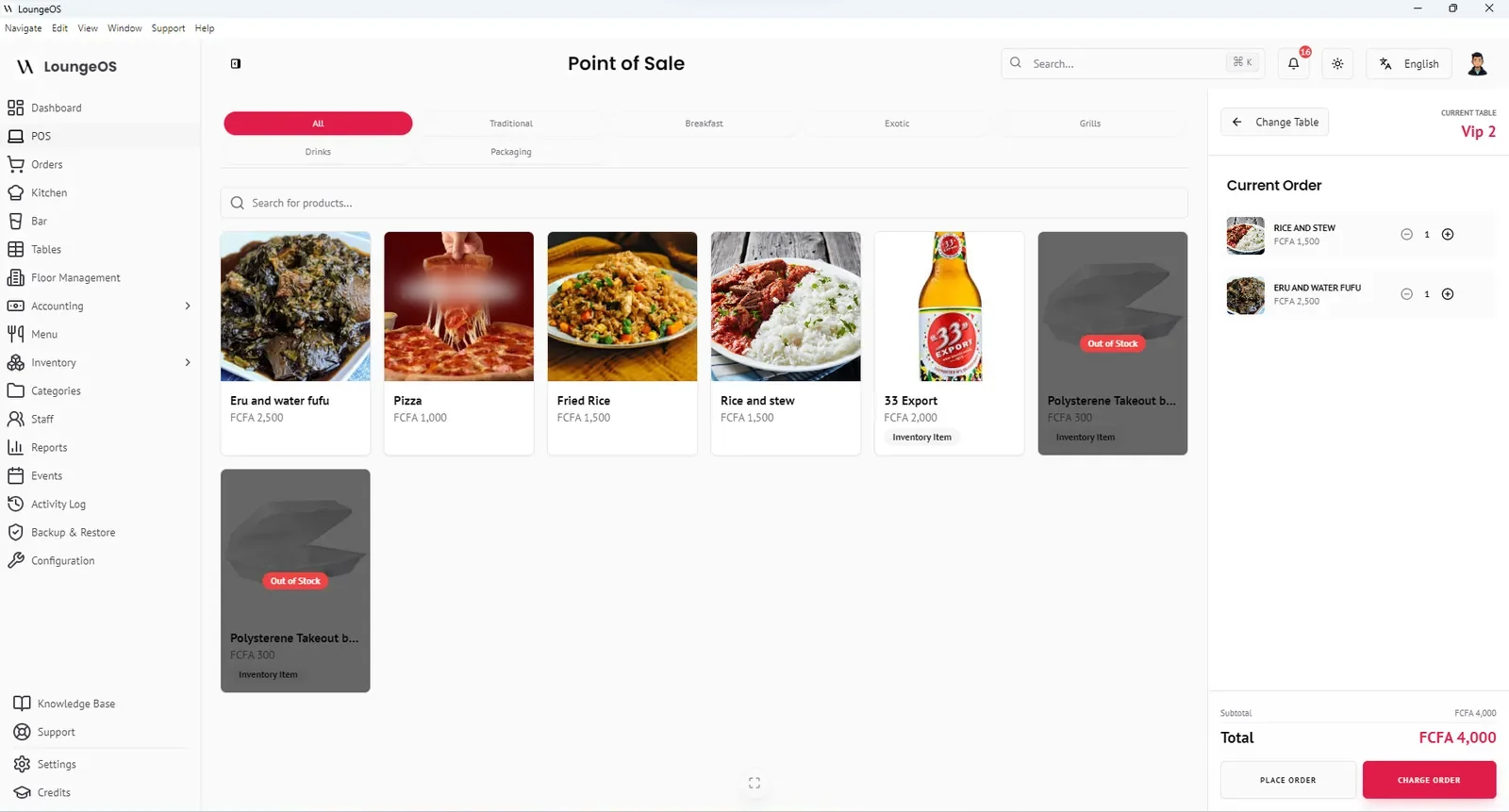
A restaurant POS system records orders, sends them to the kitchen, takes payments and keeps track of what you sell. LoungeOS does all of that, plus inventory, staff permissions and accounting. It runs on a computer in your restaurant rather than on the internet, so a dropped connection never stops service.
How a service runs on LoungeOS
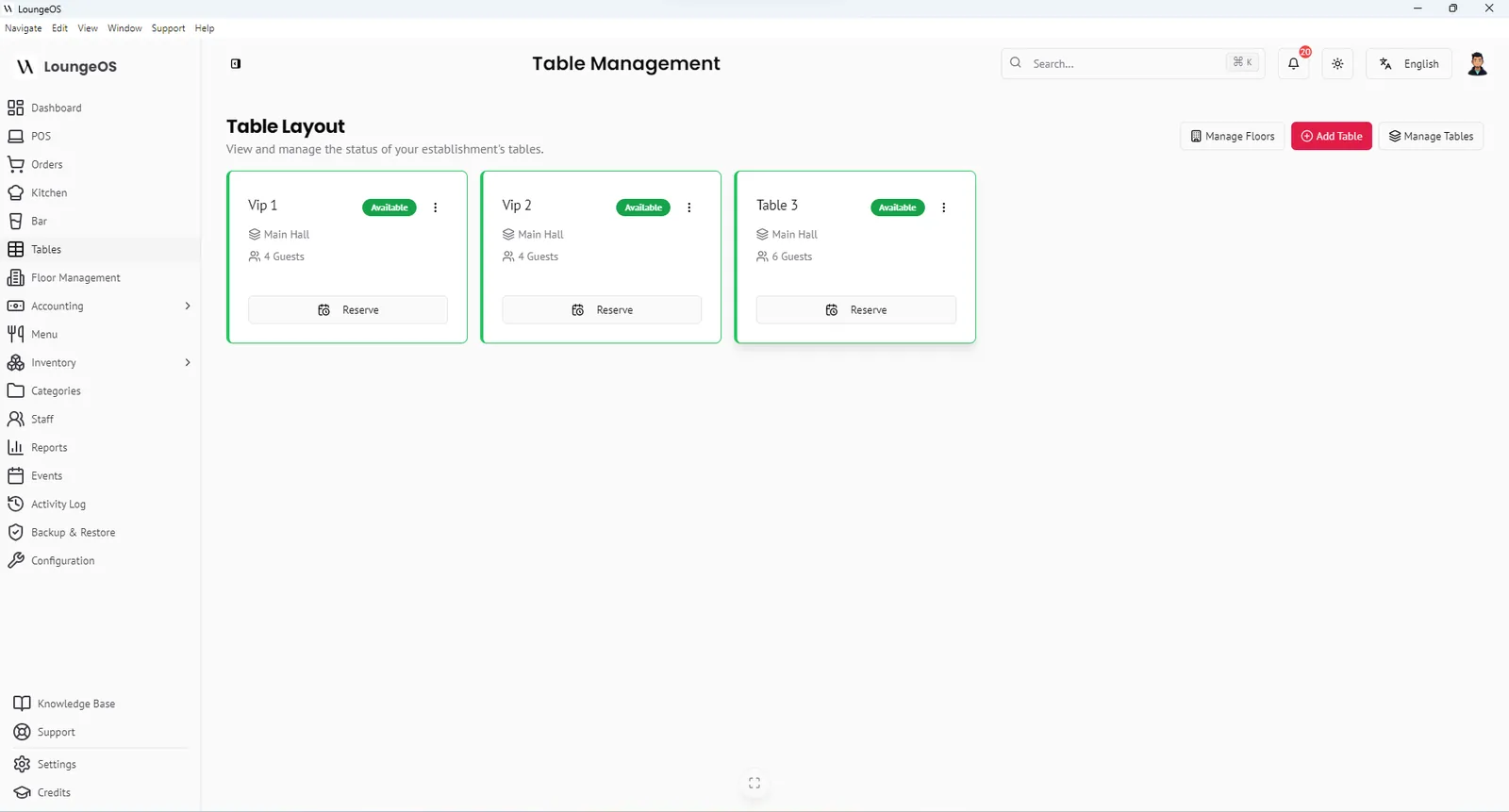
- Seat the guests. The waiter opens the table view on their phone, where green means free, and taps the table.
- Take the order. Dishes appear as photo tiles by category. The waiter adds notes (“no chilli”, “well done”) and places the order. The table turns red for everyone.
- The kitchen cooks. Food appears on the kitchen display with an alert, and drinks go to the bar screen. Cooks move tickets from Pending to In progress to Ready.
- The waiter serves. An alert tells the waiter the dish is ready, so plates don’t sit under the pass going cold.
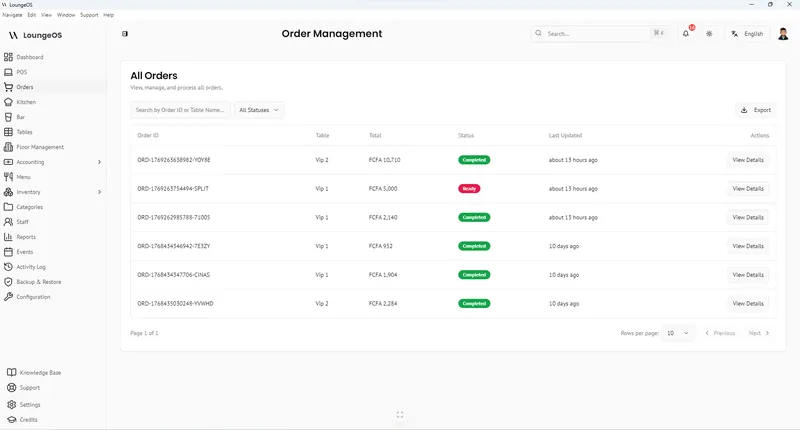
- The guests pay. The cashier opens the table, checks the bill and records cash, card or mobile money. The bill can be split across methods. The receipt prints, and the table turns green again.
- The owner sees the result. Revenue, sales by category and staff performance update on the dashboard straight away.
Built for the problems restaurants actually have
Lost or misread tickets
Orders go digitally from the table to the kitchen screen. No handwriting and no lost paper.
Dishes sold that you don't have
Menu items carry an available quantity. At zero they are greyed out and cannot be ordered.
Items removed after serving
Removing items from a sent order needs a manager, and every cancellation needs a reason.
Internet outages on busy nights
LoungeOS runs on your local Wi-Fi. The internet can go down and service won't notice.
Not knowing if you make money
The built-in ledger produces a profit and loss statement from your real sales and costs.
Expensive hardware
Use the phones, tablets and PCs you already own. No per-device fees.
Menu management that fits how restaurants work
- Categories decide where an item is prepared: kitchen or bar.
- Variations such as half/full portion or small/large, each with its own price.
- Photos on every tile help new waiters find dishes fast. Images up to 5 MB are cropped to squares automatically.
- Out-of-stock control through available quantities.
- Discount rules for lunch specials or staff meals, applied only as you configured them.
Know your food cost and margins
Restaurants usually aim to keep food cost around 28–35% of food sales and prime cost (food plus labour) near 60–65%. You cannot manage those numbers without data. LoungeOS gives you sales by category, purchases from inventory, recorded waste and a P&L. That is enough to calculate food cost every week instead of guessing. Our guide to the food cost percentage formula shows how.
What you need to get started
- One Windows 10/11 computer (4 GB RAM) as the host
- A Wi-Fi router
- Your staff’s phones or a few tablets
- Optional: a thermal receipt printer and a tablet or screen for the kitchen
Setup takes an afternoon: install, activate, add your categories, dishes, tables and staff. See the download page.
Frequently asked questions
Is LoungeOS suitable for a small restaurant?
Yes. A small restaurant can run LoungeOS on one laptop and one or two phones. The price is the same whatever the number of devices, and the 30-day trial is free.
Can waiters take orders on their own phones?
Yes. Any smartphone with a browser on your Wi-Fi can be used to take orders. Each waiter logs in with their own account, so every order is attributed to them.
Does it support takeaway orders?
LoungeOS is built around tables. Many restaurants create a “Takeaway” or “Counter” table to process takeaway orders, and track packaging such as takeaway boxes as stock items.
Can I see which waiter sells the most?
Yes. Reports and the dashboard show sales and performance by staff member.
Run your next service on LoungeOS
Install LoungeOS on a Windows computer, connect your tablets and phones over Wi-Fi, and run real service for 30 days. Free, no credit card.
Explore more
How to choose a restaurant POS system
12 questions, a total-cost formula, contract red flags and a 2-week trial plan.
Read guide →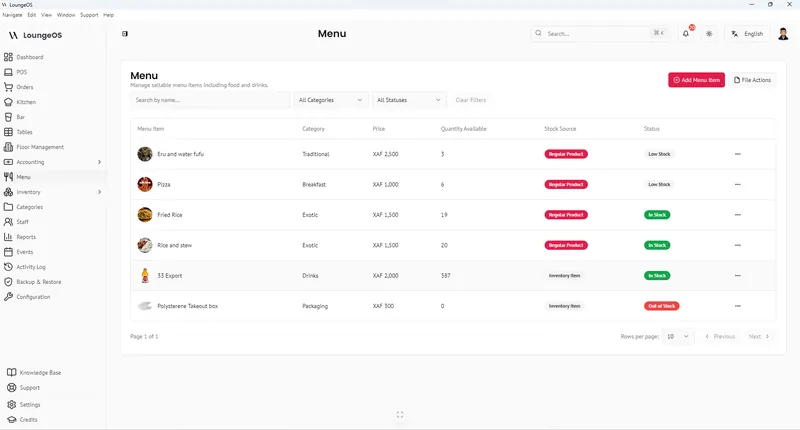
Food cost percentage: formula and benchmarks
Calculate food cost and plate cost, compare benchmarks and lower yours.
Read guide →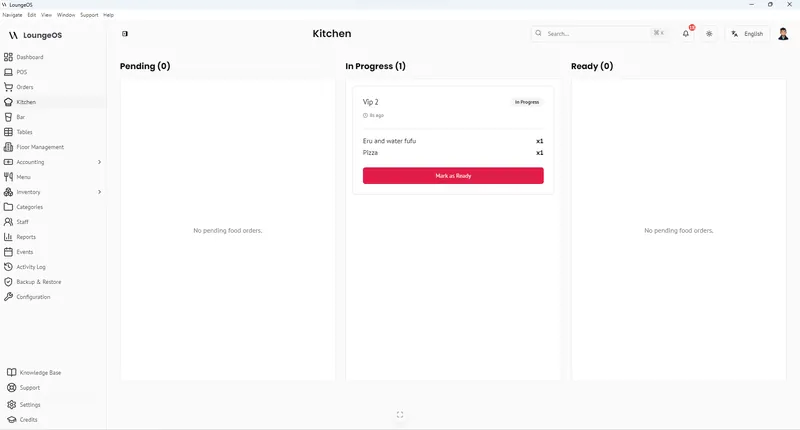
Kitchen & Bar Display System
Food goes to the kitchen screen, drinks to the bar screen, with audio alerts and Pending → Ready columns.
Learn more →