Lounge POS
Lounge management software, built by name and by design for lounges
Lounges mix restaurant service, bar volume and VIP expectations, often until 3 a.m. LoungeOS gives you the floor plan, bottle-level stock, event tools and night-long accountability a lounge needs.
30-day free trial · No credit card · Works without internet
A lounge POS has to do more than a bar till. It runs table service in several areas (main room, terrace, VIP), handles expensive bottle sales, supports events and keeps cash and stock under control through a long night. LoungeOS was designed for exactly this kind of venue. That’s where the name comes from.
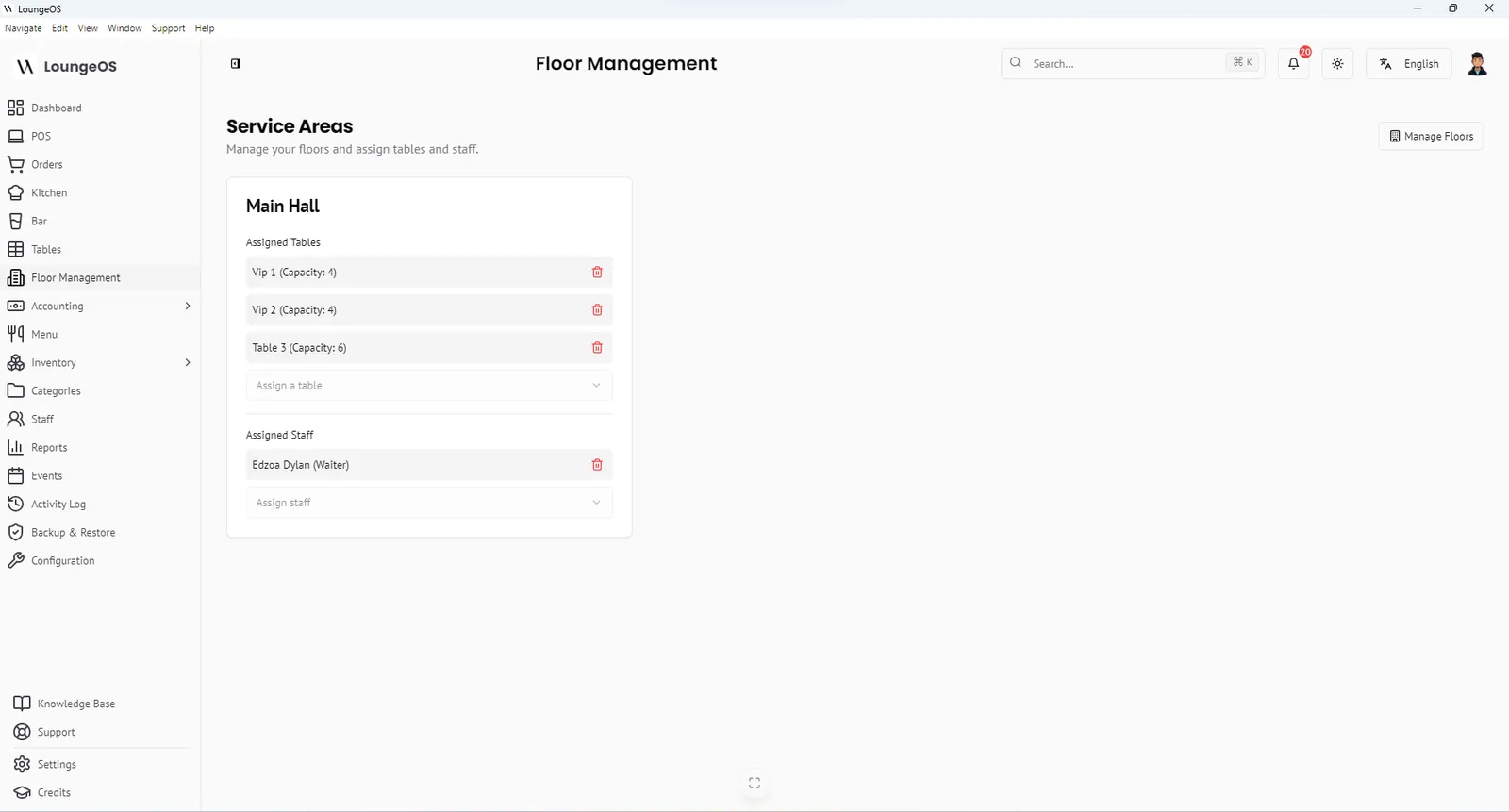
Organise the lounge by area
In Floor management, create one service area for each zone, for example Main hall, VIP mezzanine, Terrace and Bar counter. Add tables to each area with their capacity, then assign waiters to areas. A waiter working the VIP area only sees VIP tables on their phone. You always know who is responsible for the big bottle orders.
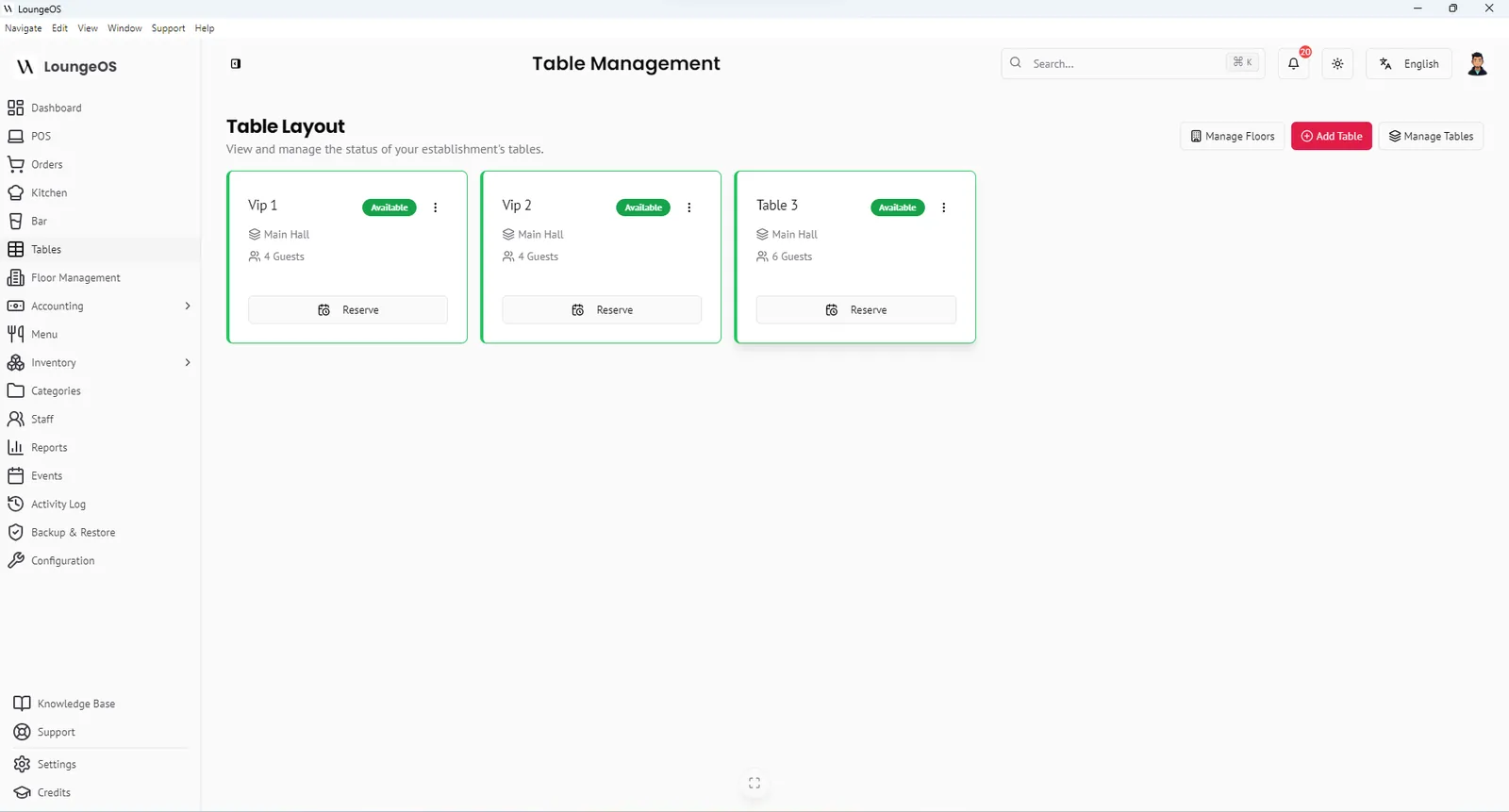
Table colours show the whole lounge at a glance: green available, red occupied, orange reserved. Reserve VIP tables before the guests arrive.
Bottle sales without bottle losses
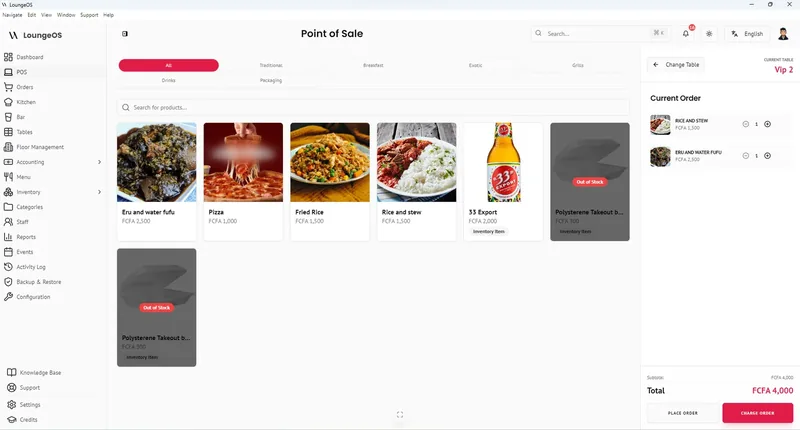
Premium bottles are a lounge’s biggest margin and its biggest risk. With LoungeOS:
- Every bottle is a stock item with a cost price and a minimum level.
- A bottle that is not sold must be recorded as damage, waste or loss, with a name attached.
- The bar display shows exactly which table ordered which bottle and when it was prepared.
- Removing a bottle from a sent order requires a manager.
At the end of the week, deliveries minus sales minus recorded losses should equal what is on the shelf. If it doesn’t, you’ll know which days and which shift to look at.
Events and special nights
Lounges live on events: birthdays, DJ nights, after-work parties, private hire. LoungeOS includes an Events module where you create each event with dates, location and capacity. The dashboard calendar keeps the team aware of what’s coming. Combine events with discount rules for promotions such as ladies’ night or happy hour, applied only as you configure them.
Late-night accountability
The riskiest hours in a lounge are the last ones, when the manager is busy and the room is dark. LoungeOS keeps control without slowing anyone down:
- Personal logins for every staff member, with auto-logout after two hours of inactivity
- Cancellation reasons for every cancelled order
- Manager-only split, merge and item removal
- An activity log you can review the next morning: who logged in, what was cancelled, what stock was adjusted
When the drawer is short, you have facts instead of arguments. Read more in loss prevention.
Payments the way lounge guests pay
Big groups split bills, and some pay by card, some by MTN MoMo or Orange Money, some in cash. LoungeOS records every method with references, splits bills and payments, and prints a branded receipt with your logo.
Frequently asked questions
Is LoungeOS only for lounges?
No. Despite the name, LoungeOS is used by restaurants, bars, nightclubs, cafés and hotels too. Lounges simply need all of its features at once.
Can I sell shisha or hookah?
Yes. Add shisha as menu items, for example by flavour or size using variations, and track related consumables such as charcoal as stock items.
Can VIP tables have their own waiter?
Yes. Create a VIP floor, add the VIP tables to it and assign the VIP waiters to that floor.
Does LoungeOS work if the internet cuts during a party?
Yes. LoungeOS runs on your local Wi-Fi network, so orders, the bar display and payments keep working with no internet.
Run your next service on LoungeOS
Install LoungeOS on a Windows computer, connect your tablets and phones over Wi-Fi, and run real service for 30 days. Free, no credit card.
Explore more
How to manage a lounge or nightclub
VIP tables, bottle service, events, staff and late-night cash control.
Read guide →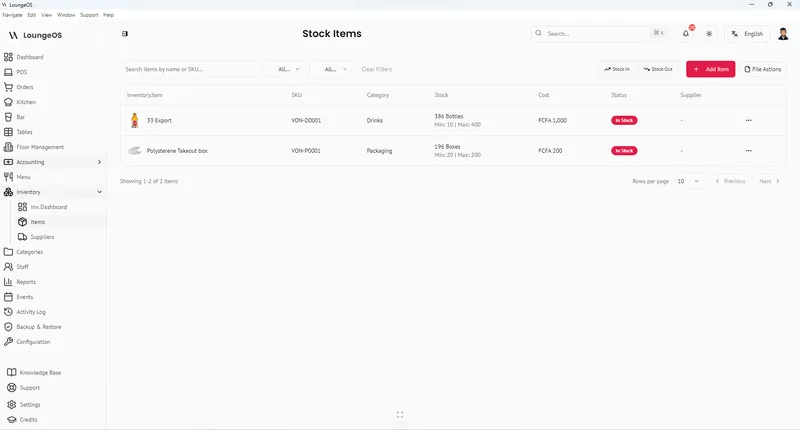
Bar POS
Fast drink ordering, a bar display screen, bottle-level stock and controlled discounts.
Learn more →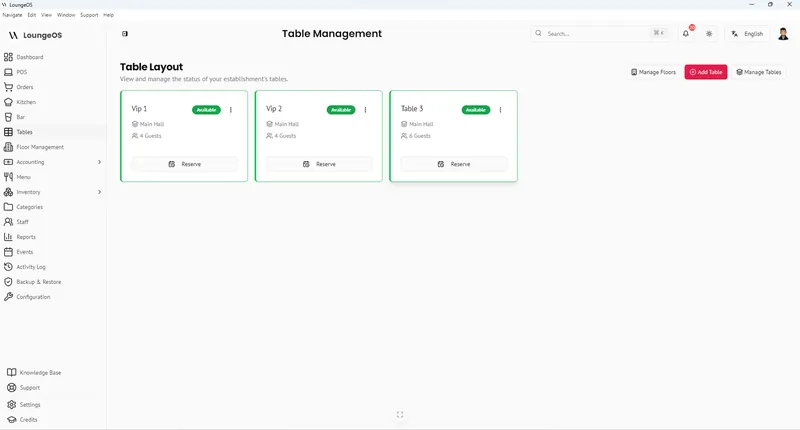
Nightclub POS
Fast drink service, VIP and bottle service, and strict cash control for clubs.
Learn more →