In this guide
- Step 1: Build a clean item list
- Step 2: Choose the right unit for each item
- Step 3: Set par levels (minimums)
- Step 4: Receive deliveries properly
- Step 5: Store with FIFO
- Step 6: Record every loss, with a name
- Step 7: Count on a schedule
- Step 8: Investigate variance
- What good inventory gives you
- Frequently asked questions
Restaurant inventory management is the routine of knowing what you have, what it cost, what you used and what went missing. You don’t need complex software to start, but you do need discipline, and a system that makes the discipline easy.
Step 1: Build a clean item list
List everything you buy and want to control. Group it into categories:
- Beverages: beers, spirits, wines, soft drinks, water
- Proteins: meat, fish, poultry
- Produce: vegetables, fruit, herbs
- Dry goods: rice, flour, oil, spices
- Dairy and eggs
- Packaging: takeaway boxes, cups, bags, straws
- Cleaning and consumables
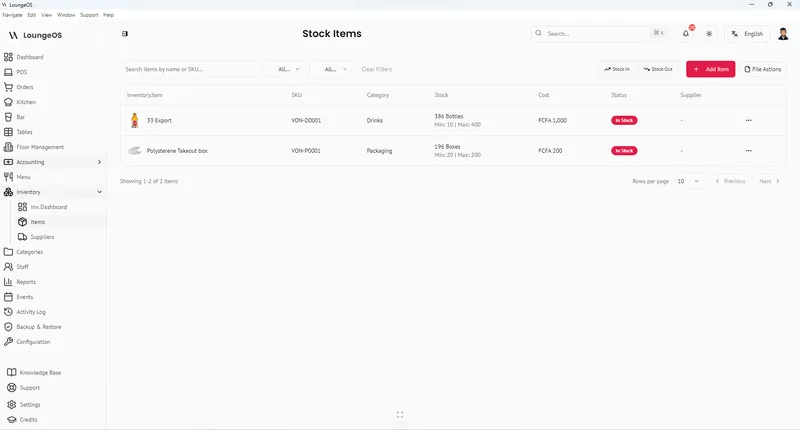
For each item record: name, category, unit, cost per unit, supplier, and a SKU or code if you have one. In LoungeOS you can import the list from a CSV template.
Tip: don’t track everything on day one. Start with the 30–50 items that make up most of your spending. Usually that’s drinks, proteins and packaging.
Step 2: Choose the right unit for each item
The unit must match how you count and how you sell:
| Item | Buy in | Count and track in |
|---|---|---|
| Beer | Crates of 12 or 24 | Bottles |
| Whisky | Bottles | Bottles (and part-bottles at month end) |
| Rice | 25 kg / 50 kg bags | Kilograms |
| Cooking oil | Jerrycans | Litres |
| Takeaway boxes | Cartons of 100 | Pieces |
Step 3: Set par levels (minimums)
A par level is the minimum stock you want on hand before the next delivery. A simple formula:
Par level = average daily usage × days until next delivery + safety stock
Example: you use 40 bottles of a beer per day, the supplier delivers every 3 days, and you want one day of safety → 40 × 3 + 40 = 160 bottles.
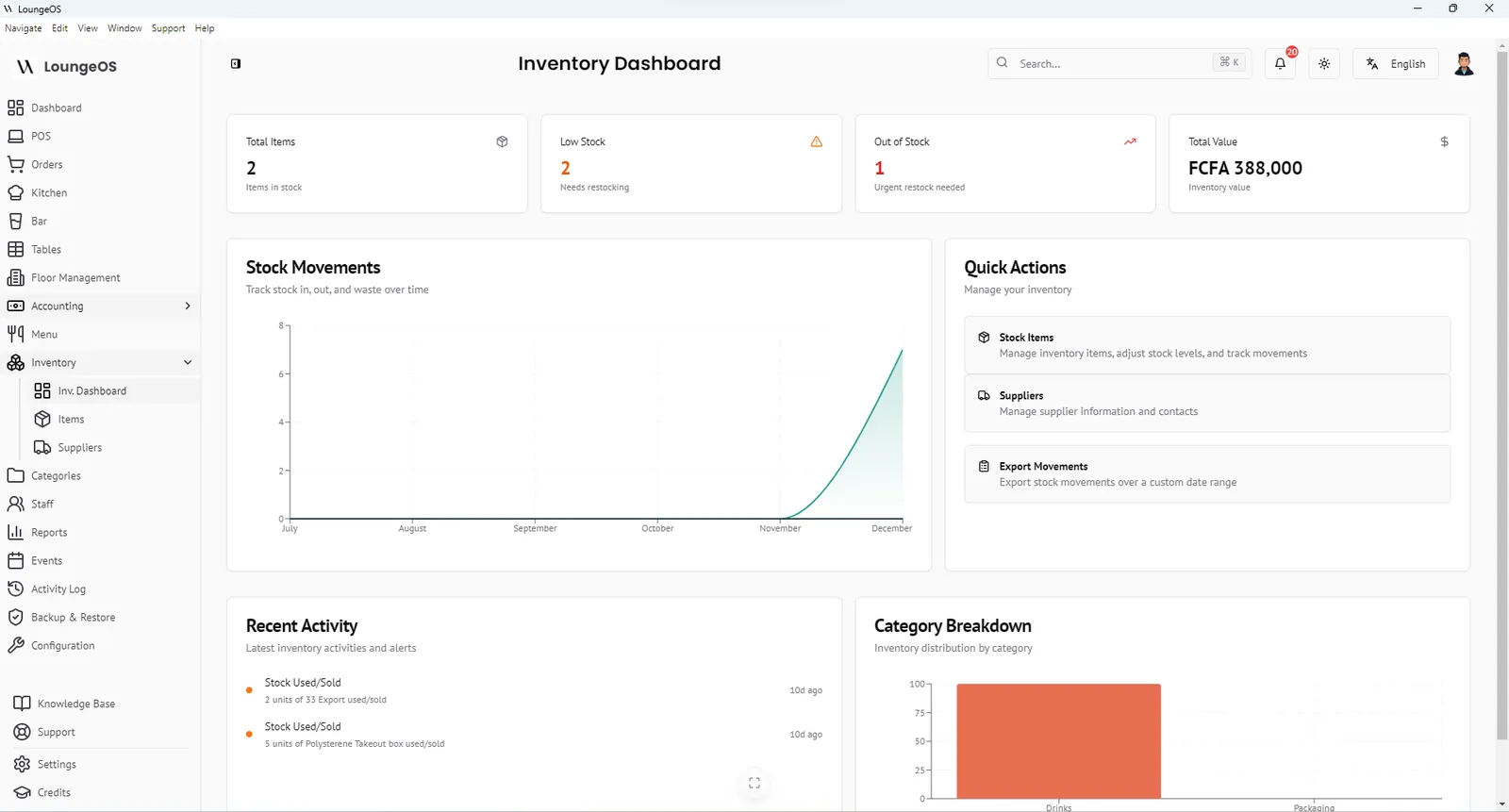
In LoungeOS, set this as the item’s minimum level. When stock falls below it, the item appears in low-stock warnings on the inventory dashboard.
Step 4: Receive deliveries properly
Receiving is where many losses start.
- Count and weigh against the delivery note before signing.
- Check quality and dates. Refuse damaged or short-dated goods.
- Record stock in immediately, with the actual unit cost on the invoice.
- File the invoice and record unpaid invoices as supplier payables.
Step 5: Store with FIFO
First in, first out: older stock is used before newer stock. Put new deliveries behind existing stock, label opened containers with dates, and keep storage organised so counts are fast.
Step 6: Record every loss, with a name
The single biggest improvement most venues can make is to record waste, breakage and loss as it happens:
- Broken bottles, spoiled produce, dropped plates of food, staff meals (if not sold)
- Each entry: item, quantity, reason, person
In LoungeOS this is a Stock out (damage/waste/loss) movement. It reduces stock, logs the cost as an expense and shows who recorded it. Without it, every loss looks like theft. With it, real theft stands out.
Step 7: Count on a schedule
- Daily: spot-check your 5 most valuable or most stolen items.
- Weekly: count the top 20–30 items by value.
- Monthly: full count of everything, for the food cost and P&L.
Count at the same time (before opening is best), with two people for high-value stock, and record counts directly in the system.
Step 8: Investigate variance
For each item:
Expected = opening + received − used (sold) − recorded losses
Variance = expected − counted
Sort variances by value, and investigate the top five. Common causes: unrecorded waste, receiving errors, wrong units, portioning that’s too generous, and theft. Fix the process, then watch the next count.
What good inventory gives you
- Food cost and pour cost you can trust. See food cost percentage.
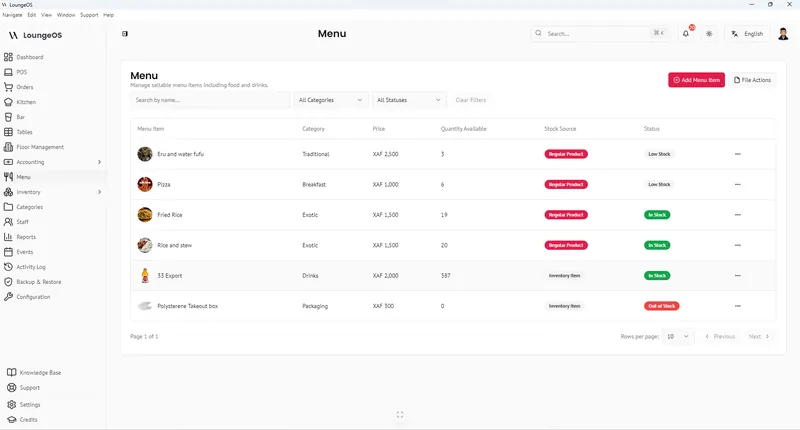
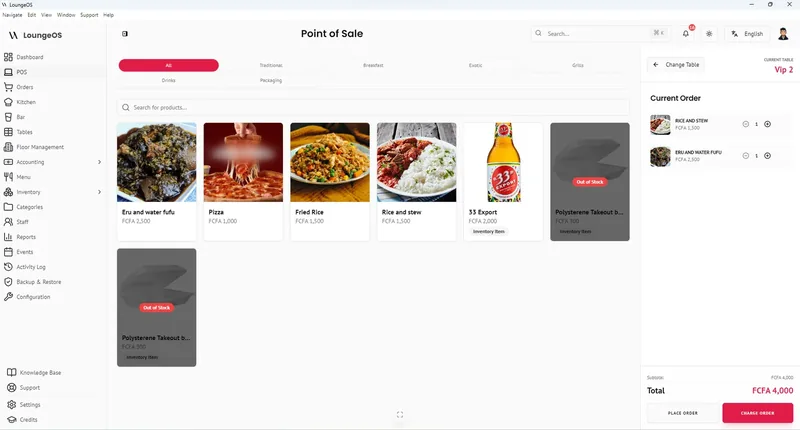
- Fewer stock-outs: menu items that run out are blocked on the POS in LoungeOS, so waiters can’t sell what you don’t have.
- Less cash tied up in slow-moving stock.
- Early warning of theft.
Run your next service on LoungeOS
Install LoungeOS on a Windows computer, connect your tablets and phones over Wi-Fi, and run real service for 30 days. Free, no credit card.
Frequently asked questions
How often should a restaurant do inventory?
Count high-value items weekly and do a full count monthly. Many restaurants also spot-check their most valuable items daily.
What is a par level in a restaurant?
A par level is the minimum quantity of an item you want on hand before the next delivery, based on average usage, delivery frequency and a safety margin.
What is the FIFO method in restaurants?
First in, first out: older stock is used before newer stock, to reduce spoilage. New deliveries go behind existing stock.
What’s the difference between inventory and stock movement?
Inventory is what you have at a point in time. Stock movements are the changes, such as deliveries, sales, waste and adjustments, that explain how you got there.