Loss Prevention
Stop the slow leak: staff permissions and an audit trail for every action
Most restaurant theft isn't dramatic. It's an item deleted after it was served, a discount nobody approved, a bottle that went missing. LoungeOS makes each of those actions visible, attributable and, where it matters, impossible without a manager.
30-day free trial · No credit card · Works without internet
Employee theft is widely reported as the largest source of restaurant shrinkage. Industry figures often attributed to the US National Restaurant Association put it at around three-quarters of inventory losses. Whatever the exact share in your venue, the patterns are well known: deleting items after payment, unauthorised discounts, “free” drinks for friends, and stock that walks out the back door. LoungeOS closes these gaps with permissions, mandatory reasons and a complete activity log.
Eight roles, each with only what they need
| Role | Dashboard | POS | Kitchen/bar screens | Stock | Accounting | Configuration |
|---|---|---|---|---|---|---|
| Super Admin | Full | View only | View only | View only | View only | Full admin |
| Manager | Full | Full | Full | Full | Sync & view | Visual & layout |
| Accountant | Financial | View only | None | View only | Full | None |
| Stock Manager | Stock stats | None | None | Full | None | None |
| Chef | None | None | Kitchen display | Menu catalogue | None | None |
| Waiter | Tables on own floor | Order taking | None | None | None | None |
| Cashier | POS / bills | Payment processing | Bar display | None | None | None |
| Bartender | None | None | Bar display | None | None | None |
Notice what is not in the table. The owner’s Super Admin account is view-only on the POS, so the account that controls configuration is not also used to ring up sales. Waiters take orders but do not process payments. Cashiers take payments but cannot change stock or prices.
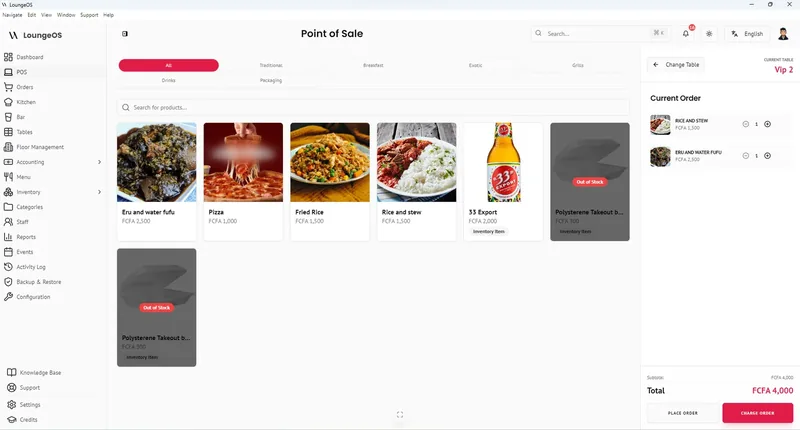
Waiters are assigned to floors and only see their own tables. Sessions log out automatically after two hours of inactivity, so a terminal left open cannot be used under someone else’s name.
Actions that need a manager
- Removing items from an order that has already been sent requires manager credentials.
- Splitting and merging bills is manager-only.
- Reactivating a cancelled order is manager-only and possible only within 24 hours.
- Discounts come from rules you configure (for example 10% or 20%), so staff cannot invent their own.
Every cancellation needs a reason
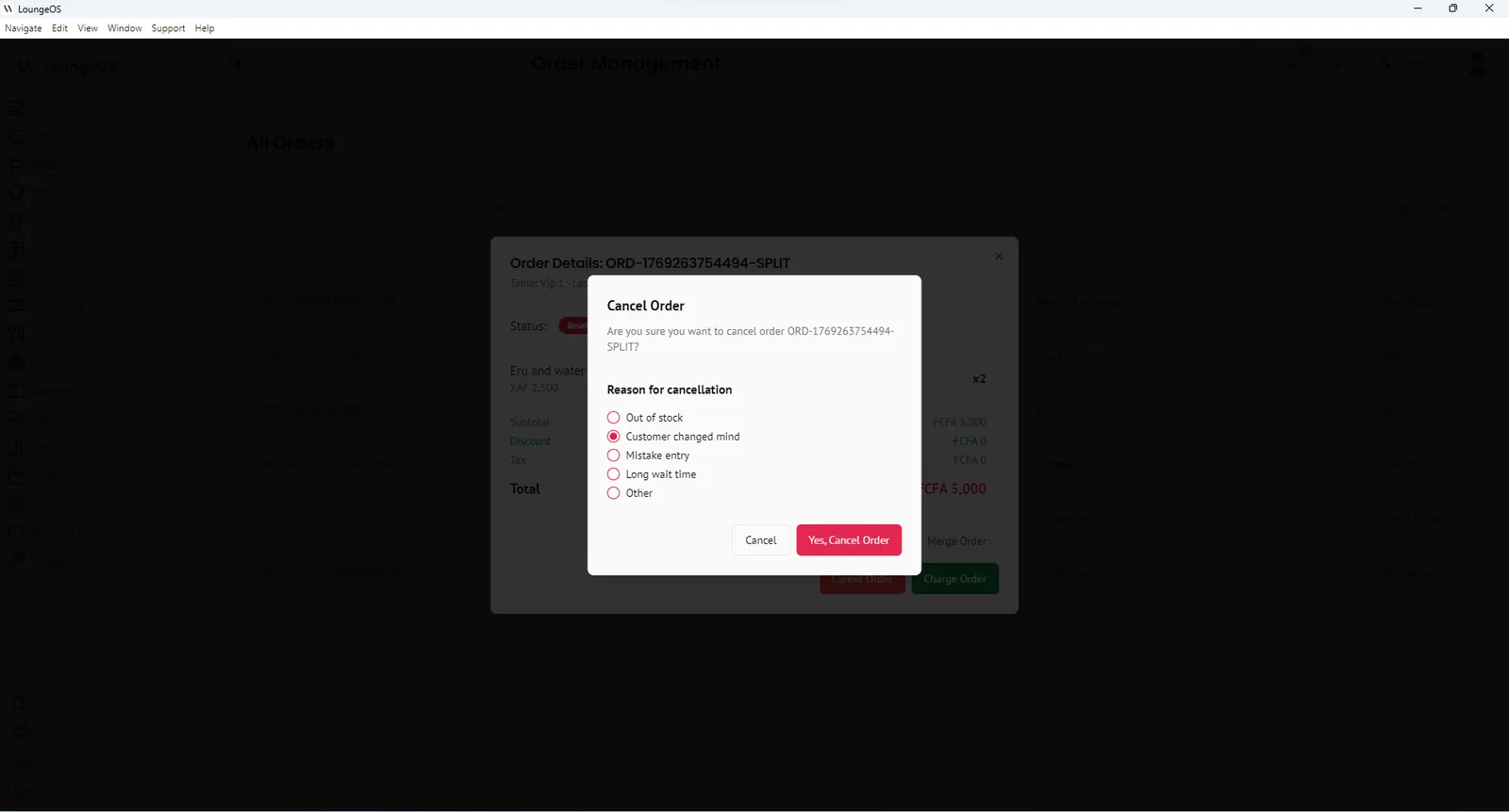
When a waiter, chef or bartender cancels an order, LoungeOS asks why: customer left, input error, out of stock, or another reason. The answer is stored with the user and the time. Over a month, you will see who cancels the most and whether those cancellations match busy cash shifts.
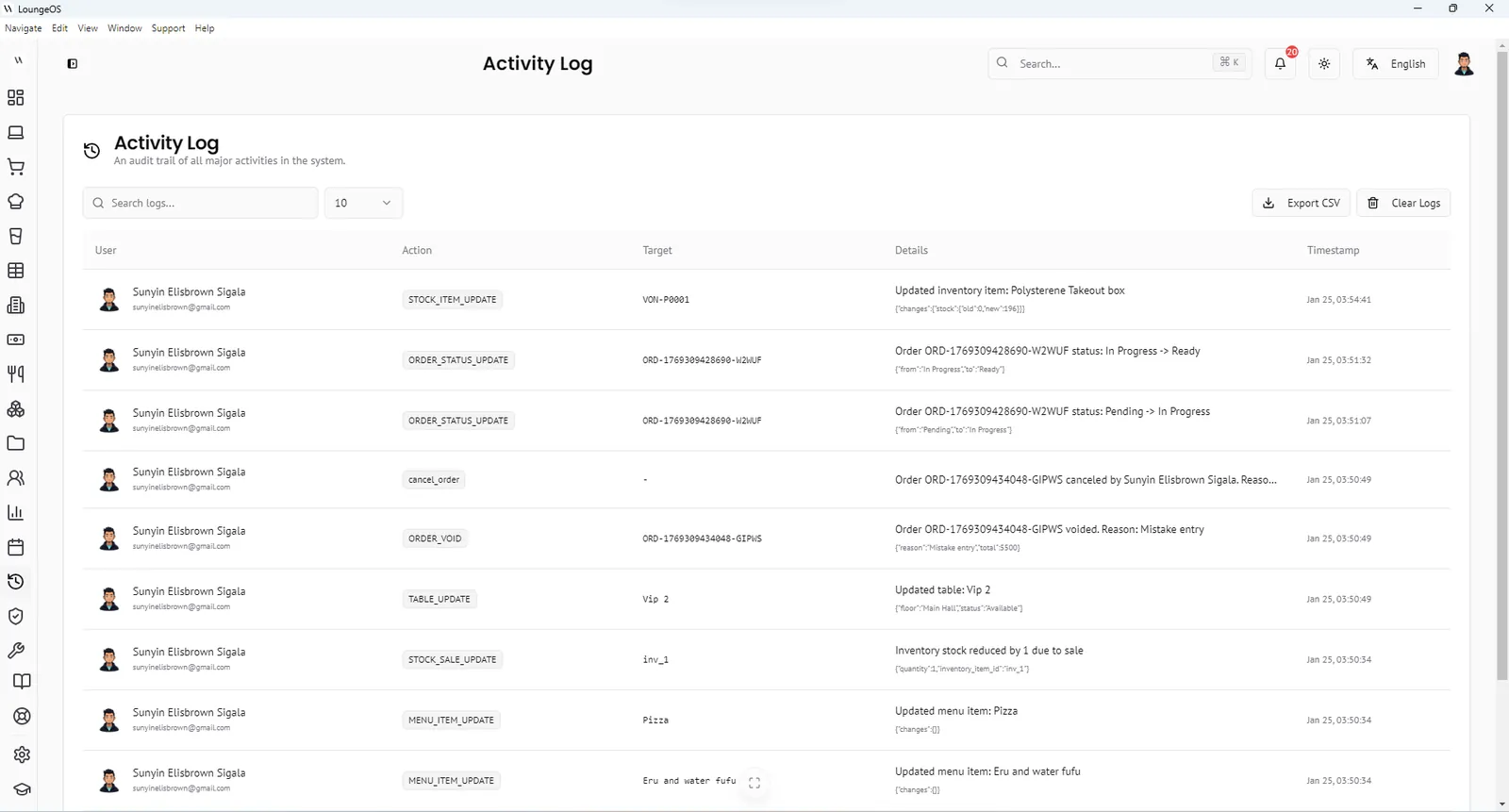
The activity log: who did what, and when
The activity log records:
- Logins, logouts and failed login attempts
- Staff accounts created, changed or deleted
- Orders created, status changes and cancellations with reasons
- Manual stock adjustments, damage and loss entries
- Table changes, menu and price edits
- Database backups and configuration changes
Search by keyword, filter by date or user, and export to CSV. When the cash count is short, you can review the evening in minutes instead of guessing.
Stock losses become visible too
Theft is not only cash. With inventory management, every bottle that leaves without a sale must be recorded as damage, waste or loss, and those entries carry a name. Comparing deliveries, sales and recorded losses shows where the gap is.
Frequently asked questions
Can a waiter delete an item after the customer has paid?
No. Removing items from a sent order requires manager credentials, and paid orders are closed. Cancellations require a reason and are logged.
Can staff give discounts?
Only the discount rules you have configured can be applied, and discounts can be switched off entirely in settings.
Can I see who logged in with the wrong password?
Yes. Failed authentication attempts are recorded in the activity log with the time.
Does this replace a security camera?
No. Cameras show what happened physically. LoungeOS shows what happened in the system. Used together they are much stronger, because you can match a suspicious cancellation in the log to a time on the camera.
Run your next service on LoungeOS
Install LoungeOS on a Windows computer, connect your tablets and phones over Wi-Fi, and run real service for 30 days. Free, no credit card.
Explore more
Restaurant employee theft: 12 schemes and fixes
Voids, under-ringing, fake comps, sweethearting and fake mobile money, and how to stop each.
Read guide →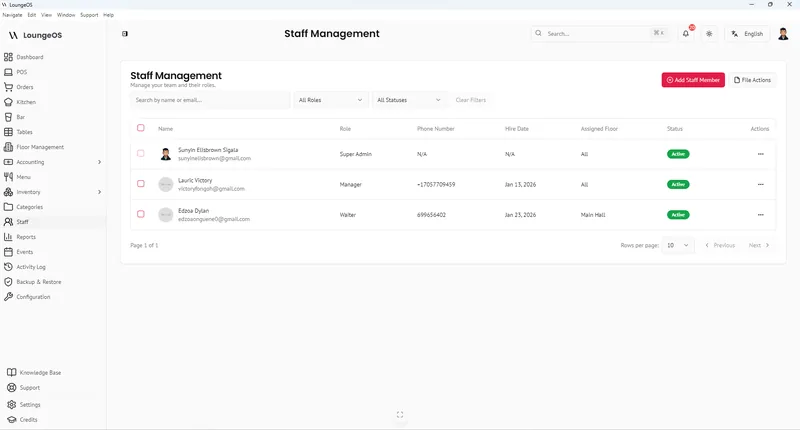
POS permissions: voids, discounts and roles
Role design, approval rules, reason codes and the weekly review that keeps them working.
Read guide →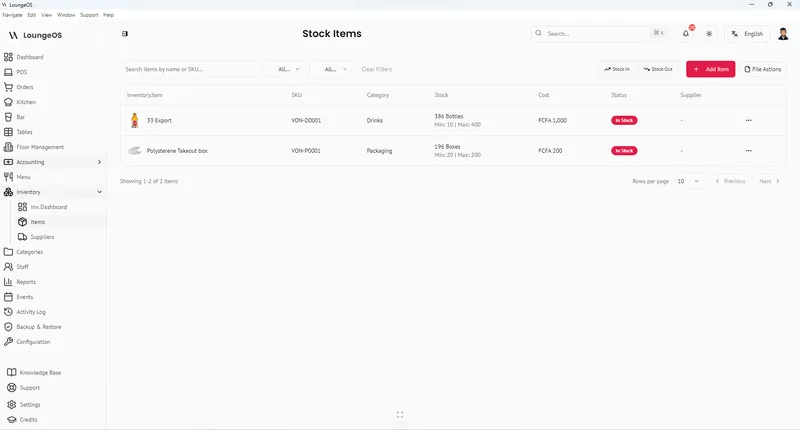
Bar inventory shrinkage and pour cost
Formulas, benchmarks and a weekly count routine to find and stop bar losses.
Read guide →